 Pagekind
Press Kit
Everything you need to write or talk about Pagekind: facts, descriptions, the app icons and screenshots. You’re welcome to use all of it in your coverage.
Fact sheet
- Name
- Pagekind: Book Club & Journal
- Developer
- Marco Lüthi, Zürich, Switzerland
- Category
- Books, Lifestyle
- Platforms
- iPhone and iPad, iOS 26.2 or later. Includes an iMessage app, an App Clip and a Share extension.
- Status
- Public beta on TestFlight
- Book data
- Open Library, the open catalogue of the Internet Archive
- Sync
- Private iCloud sync between iPhone and iPad, no account. Book Clubs use iCloud sharing.
- Language
- English
- Website
- pagekind.marcoluthi.com
- Contact
- hi@luthi-mar.co
About Pagekind
In one sentence
Pagekind is a book club for the people you already read with, and a private book journal for iPhone and iPad: small, private Book Clubs on iCloud let friends share the books worth talking about and recommend books to each other, while the books you’re reading, the ones up next, the ones you’d like to own and the ones you’ve finished stand spine out on four shelves.
Longer
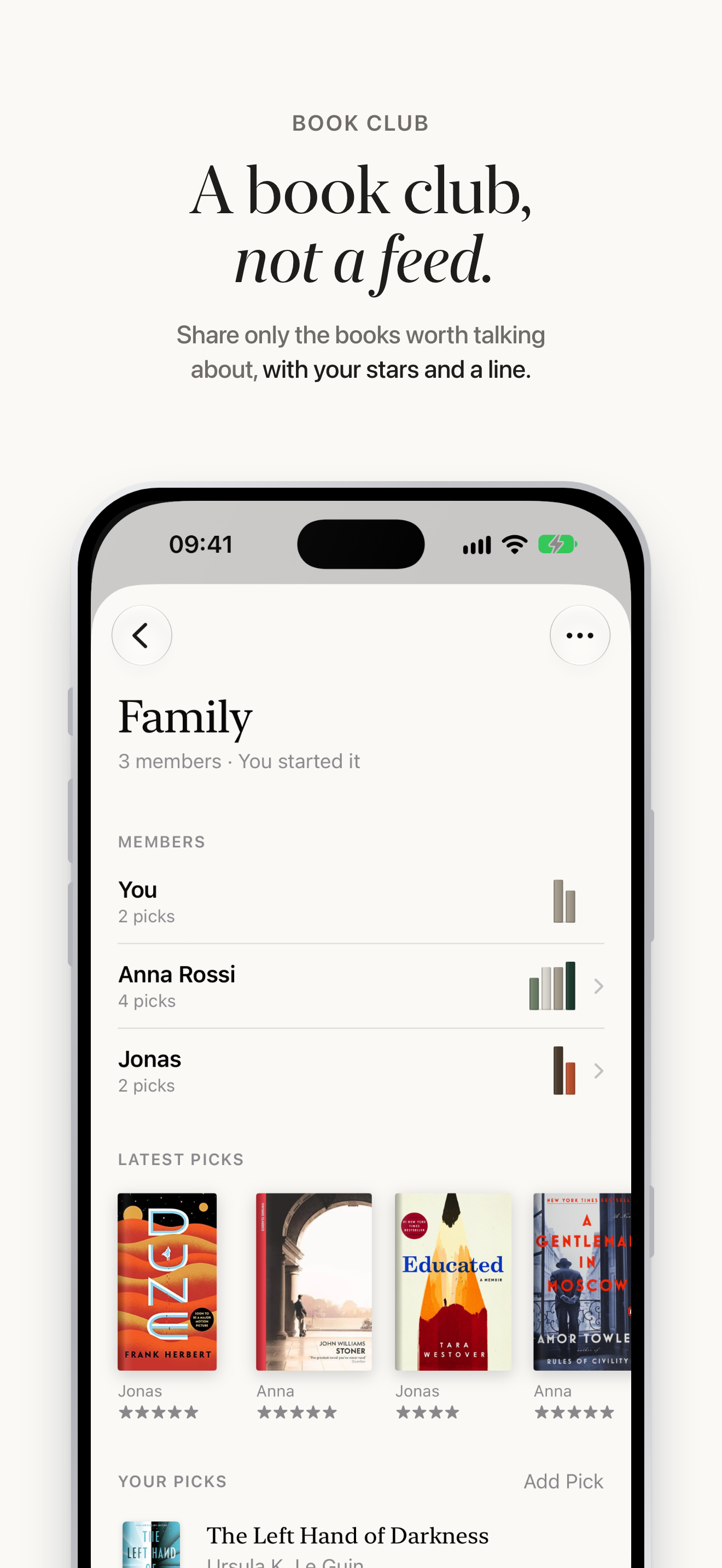
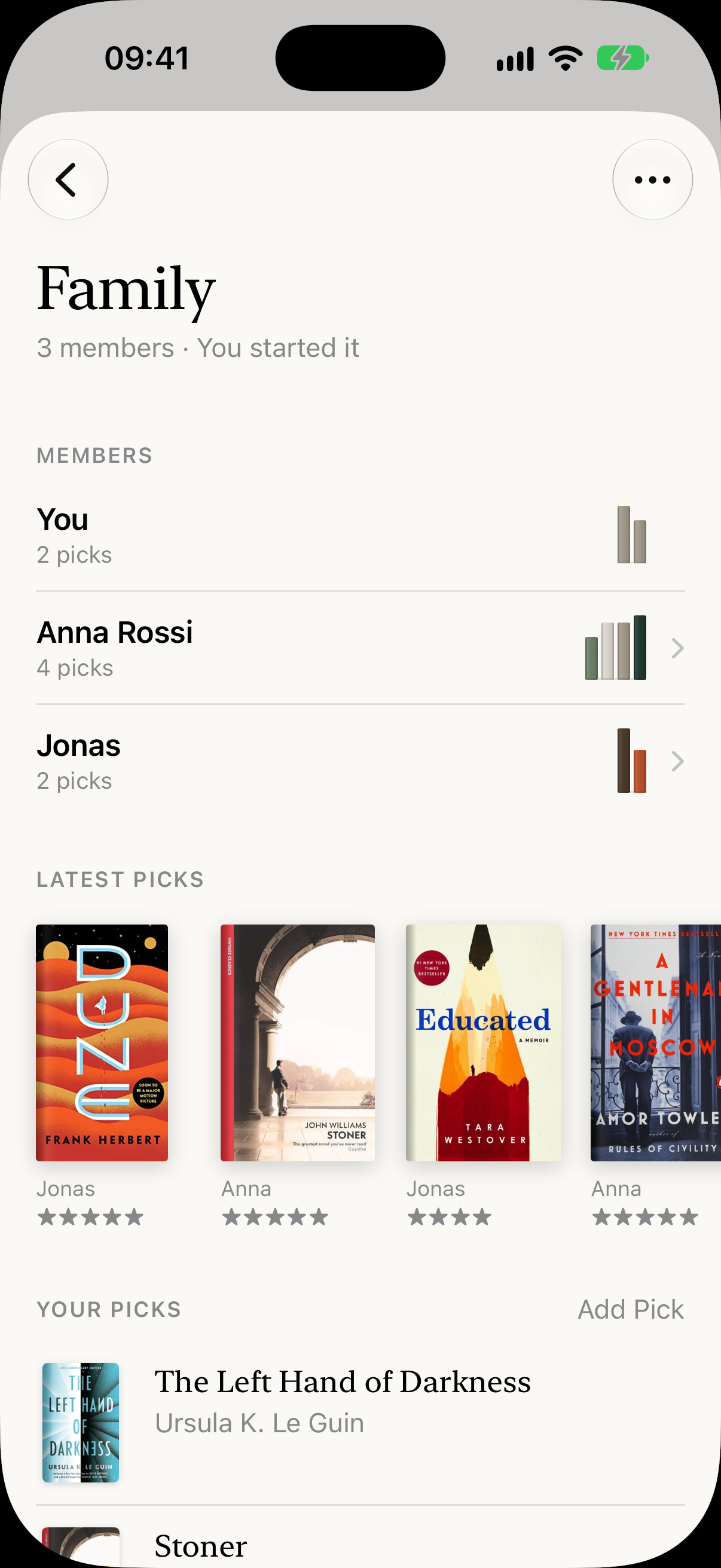
Pagekind is a book club for the people you already read with. Anyone can start a small, private club for their family, friends or reading group, and one link brings them in. There is no account, no feed and no followers: it all runs through iCloud, between people who know each other. Each member chooses the books worth talking about, with their stars and a line, and the rest of their library stays private; when two people love the same book, it shows once, with both their words. A sample club lets anyone look around before starting one.
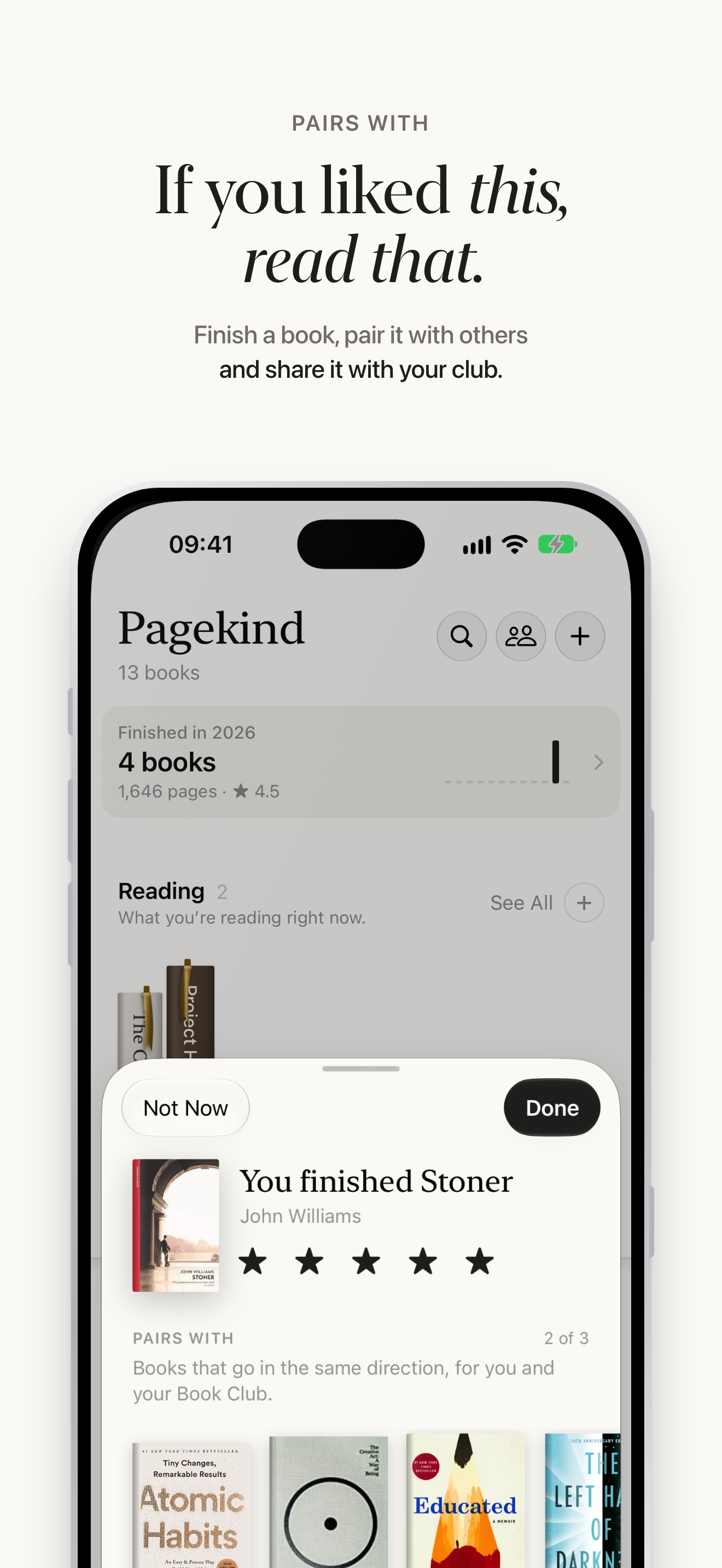
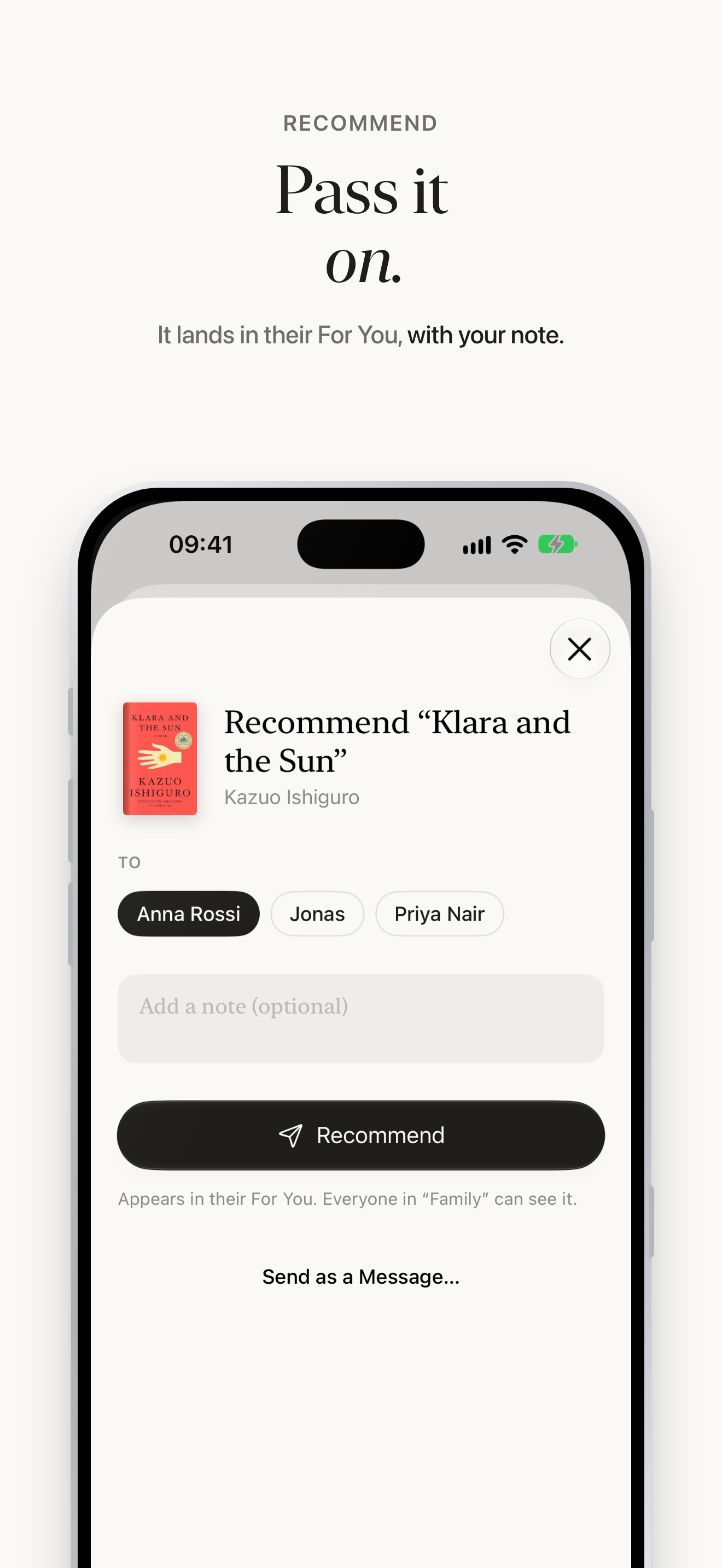
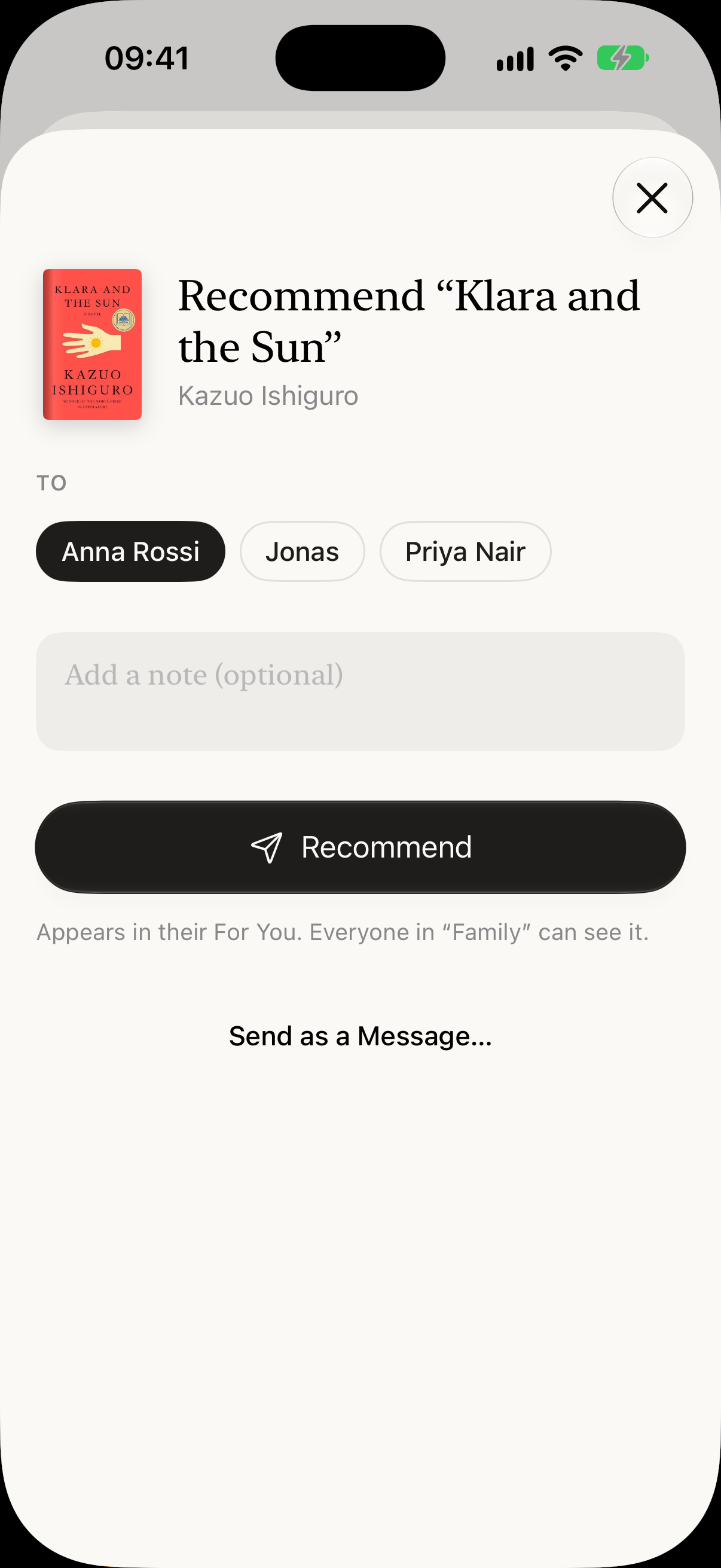
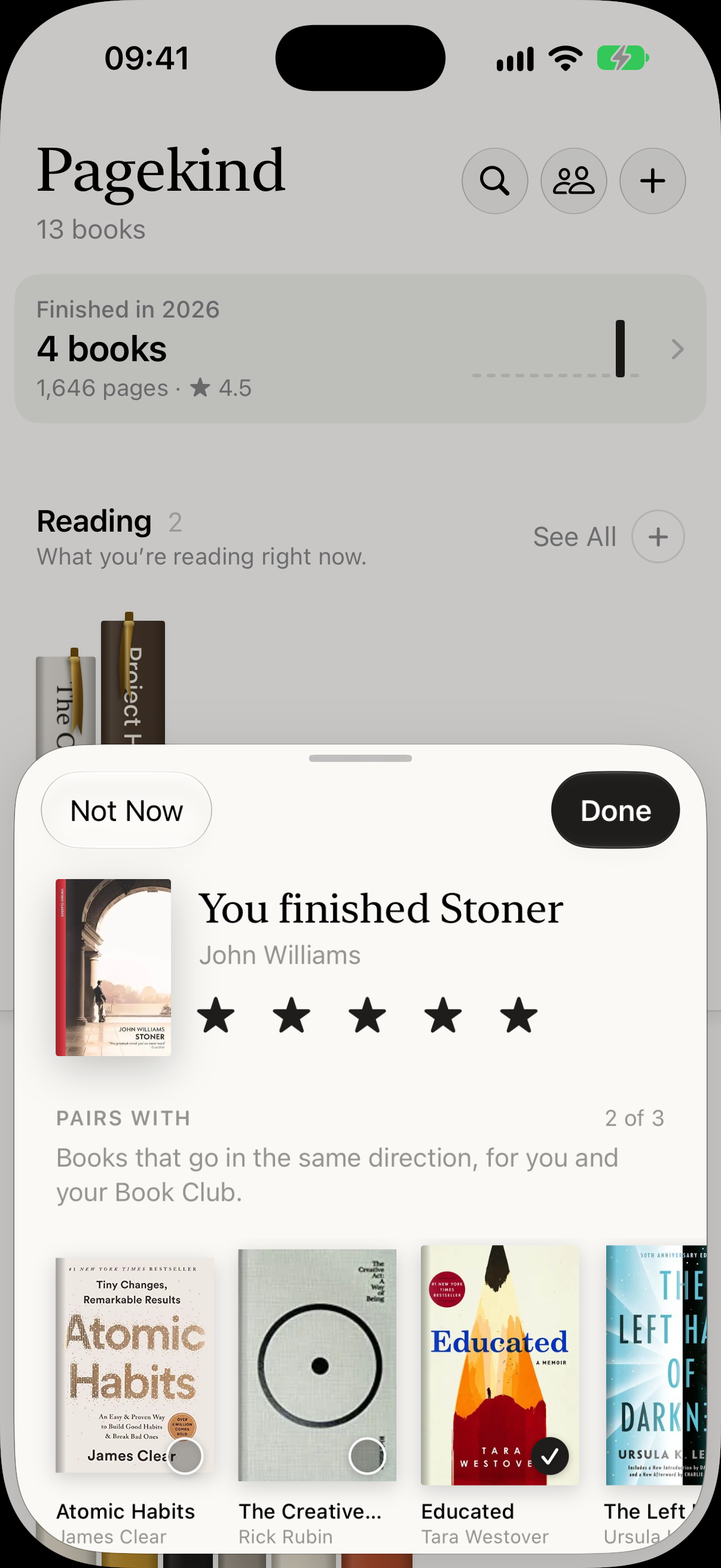
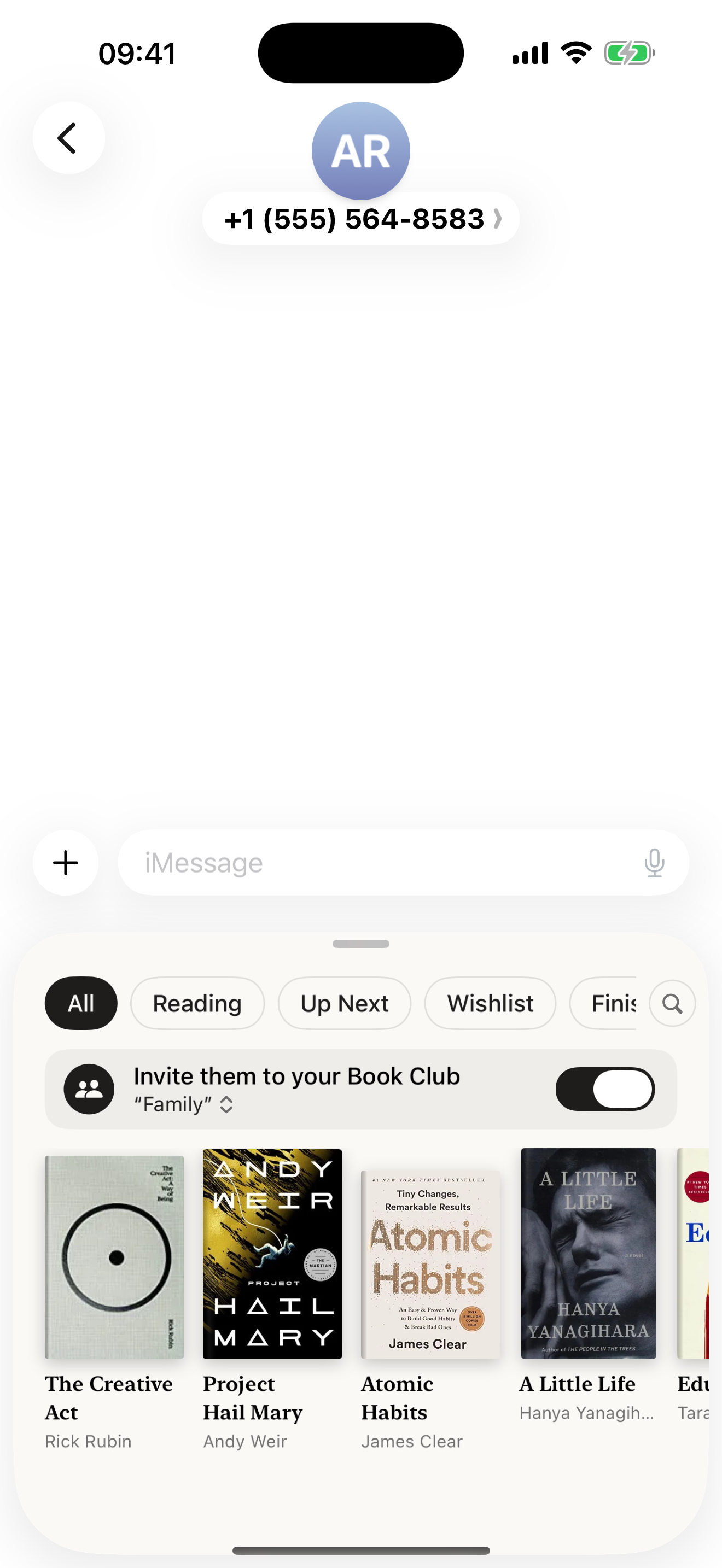
Members recommend books to each other, with a note that lands in the friend’s For You. When someone finishes a book, Pagekind asks for their stars and up to three books that go in the same direction; the club sees these pairings, and the books friends paired with a book you loved come to you. A book can also be sent to anyone as a link, which opens a small App Clip to keep it on their Wishlist without installing anything, or from Pagekind’s iMessage app without leaving the conversation.
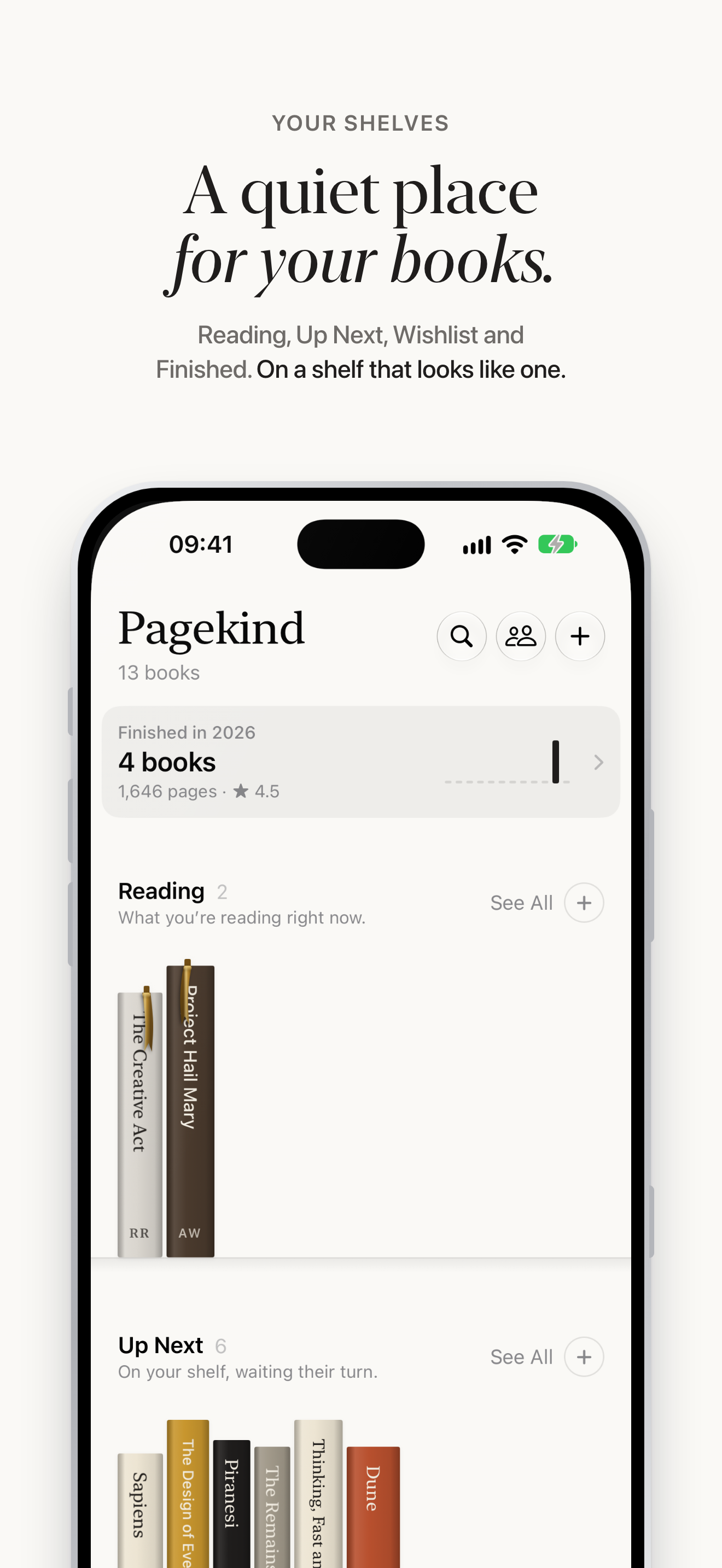
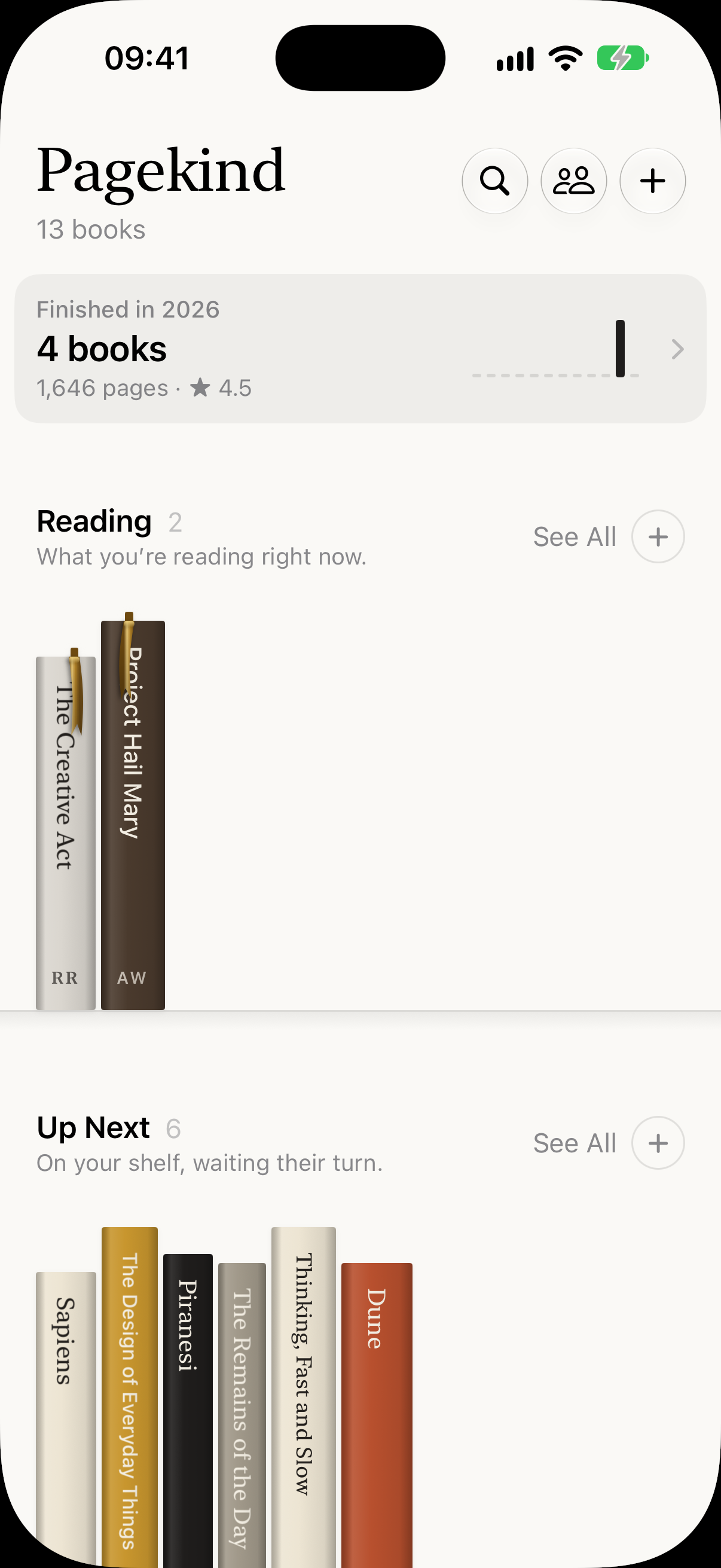
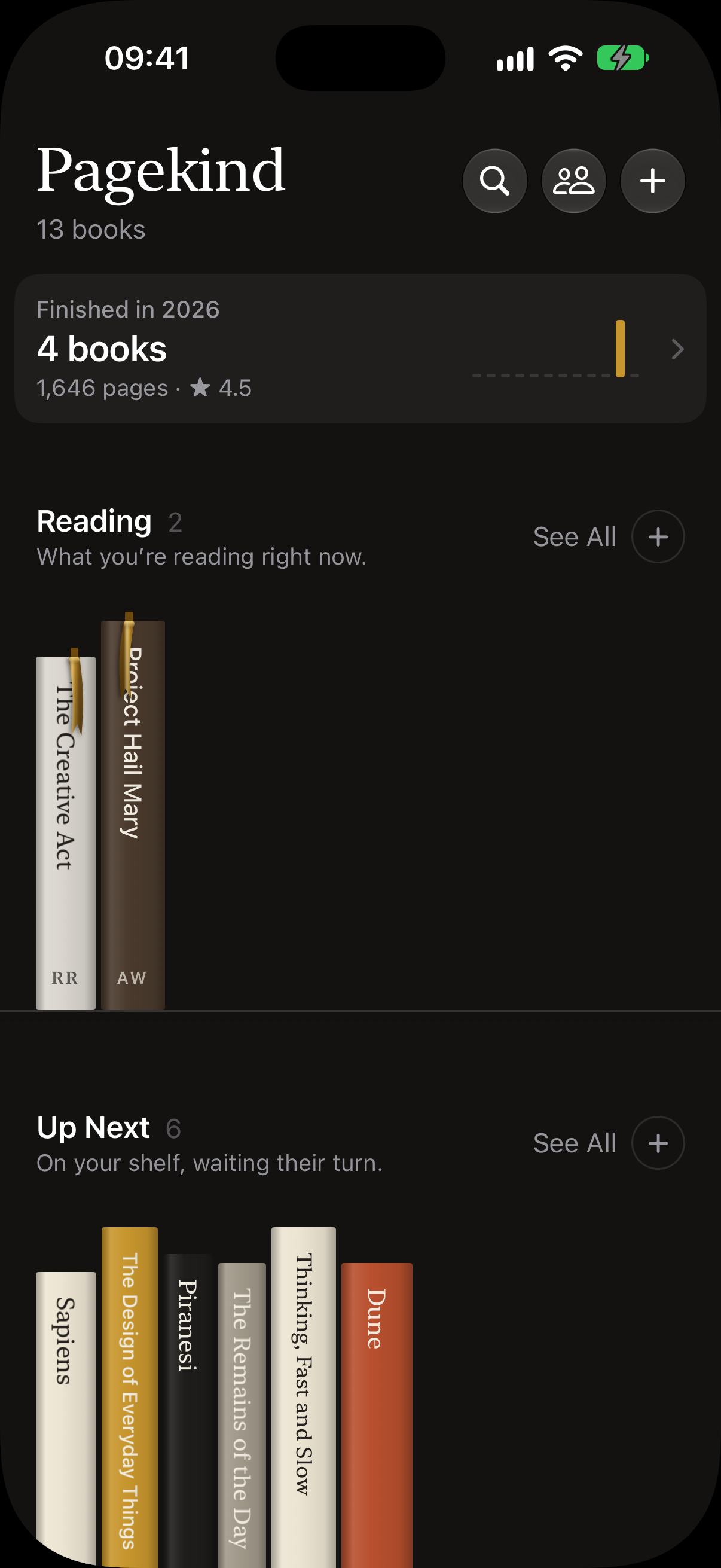
It is also a quiet journal for your own books. The one you’re reading, the ones up next, the ones you’d like to own and the ones you’ve finished stand spine out on four shelves: Reading, Up Next, Wishlist and Finished. Tap a book and it turns to show its cover; tap again for its page, with the summary, the edition, what other readers think, and your own half-star ratings and notes. Each spine is lettered to match its cover, in a serif or sans-serif face that Pagekind reads from the cover on the device.
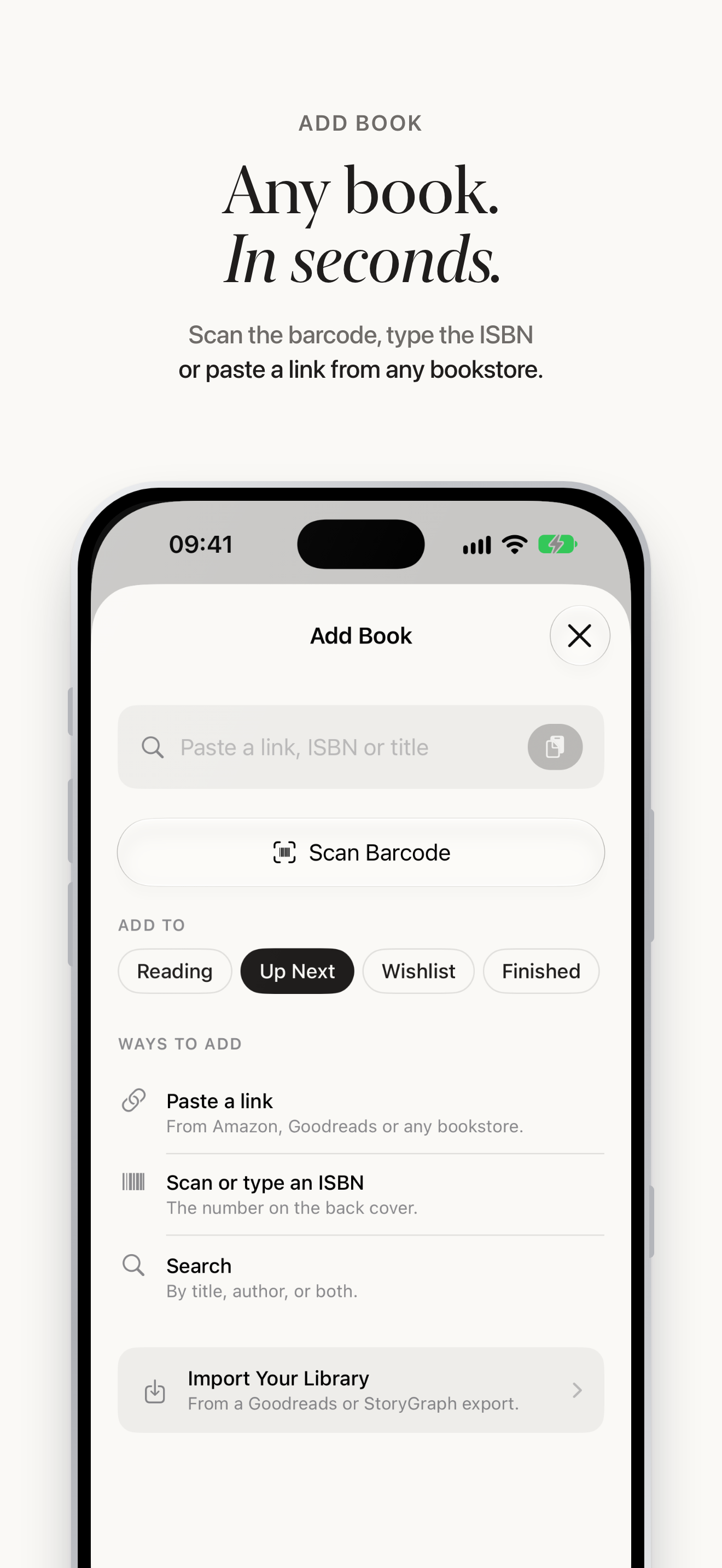
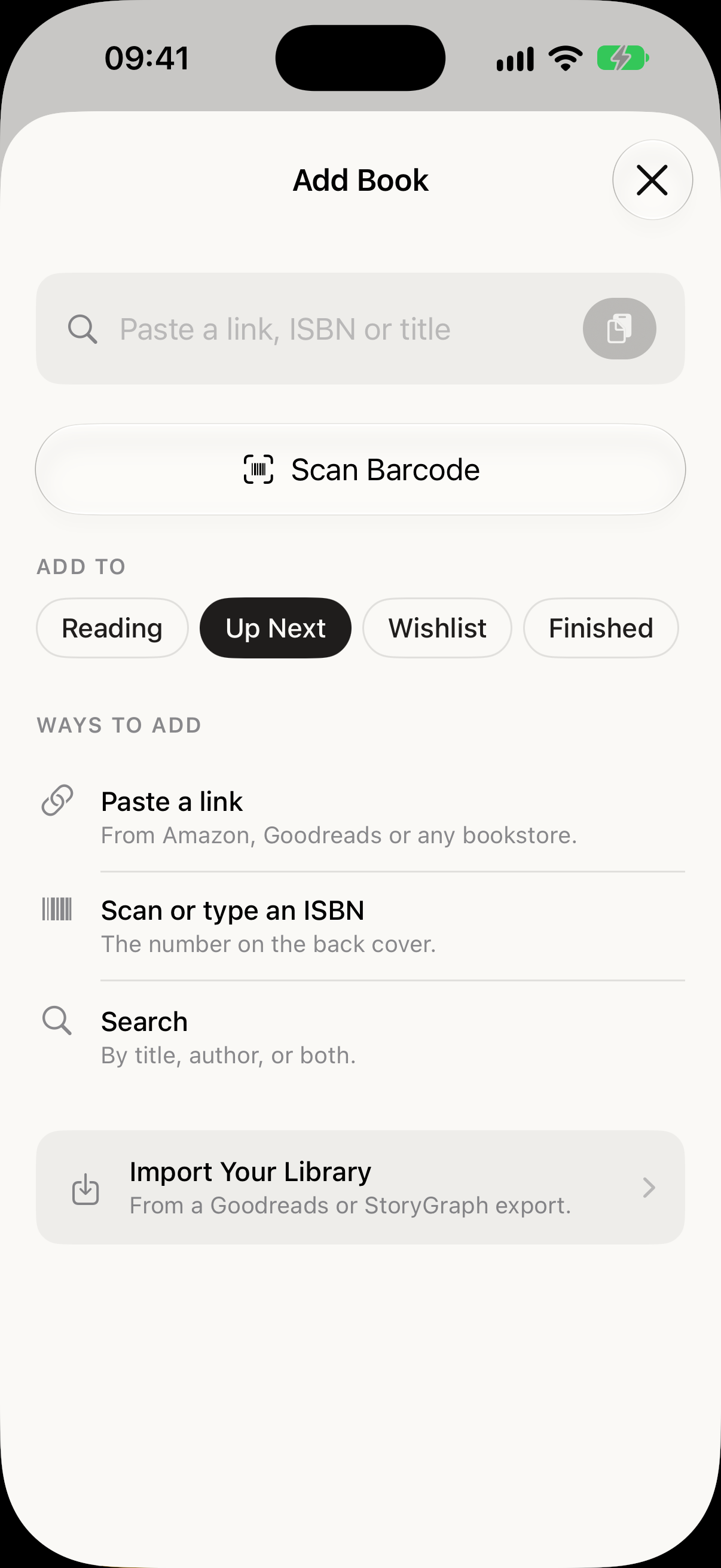
Adding a book takes seconds: scan the barcode, paste a link from Amazon, Goodreads or any bookstore, type an ISBN or search by title or author. Books can also be shared into Pagekind from Safari, and a whole library imported from Goodreads or StoryGraph. Book details come from Open Library.
Features
- Private, invite-only Book Clubs on iCloud: one link per club, as many clubs as you like
- Members share only the books they pick, with their stars and a line
- A sample club to look around before starting one
- Pairs With: up to three books to read after one you finished, seen by your club
- For You: friends’ recommendations and pairings, plus books on your own shelves like ones you rated highly
- Recommend to members with a note, or send a book to anyone as a link that opens an App Clip
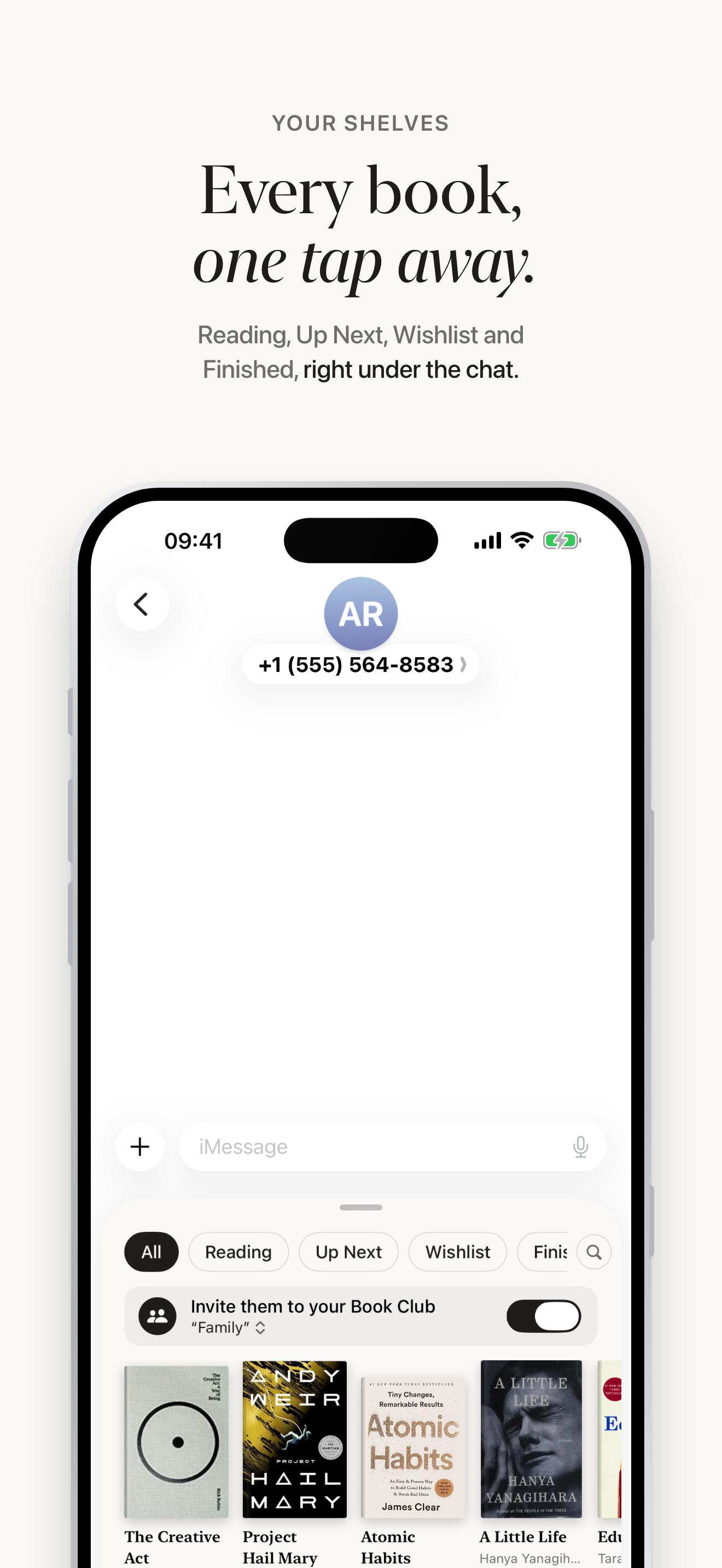
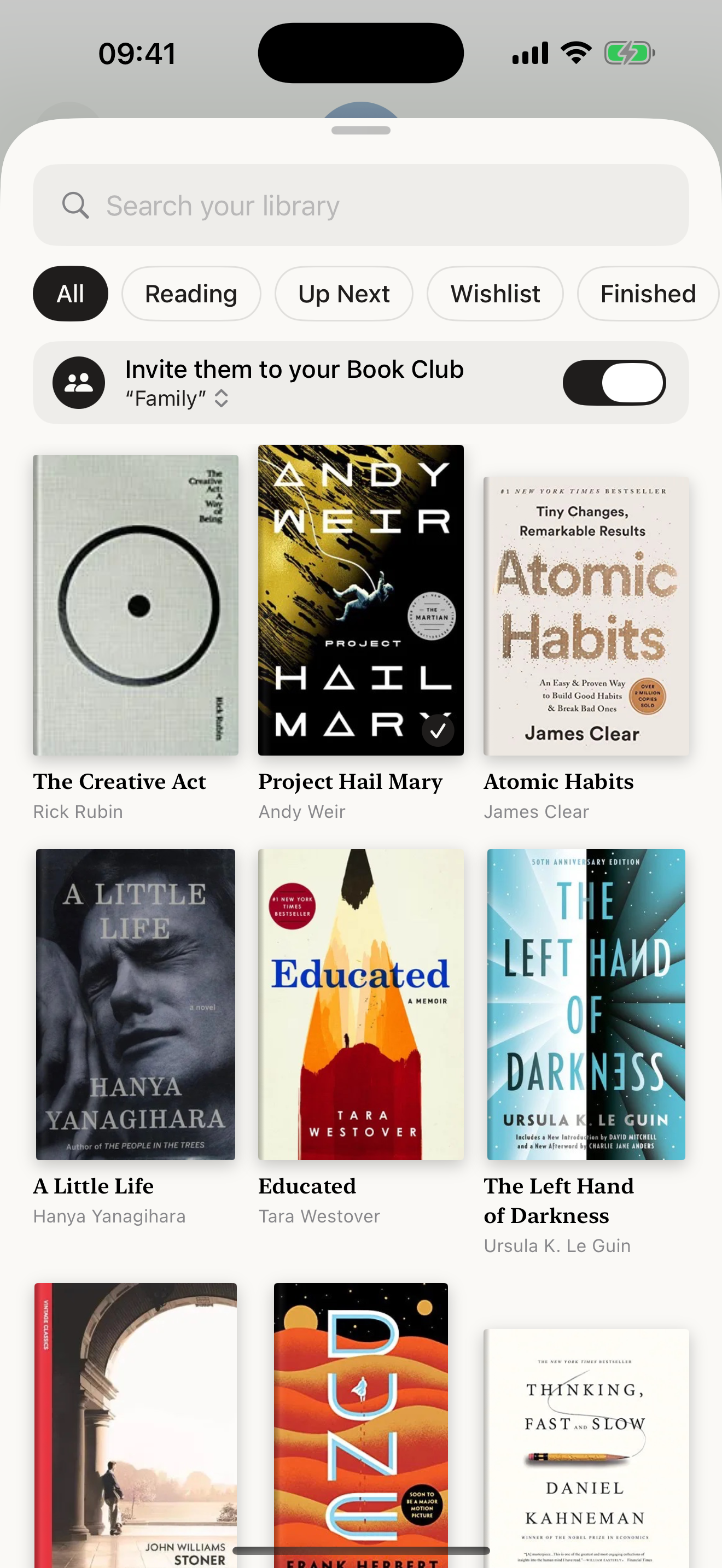
- An iMessage app to send a book from your library inside a conversation
- Leave a club, remove a member, or block and report someone at any time
- Four shelves: Reading, Up Next, Wishlist and Finished, with books spine out
- Tap a book to turn it to its cover; spines lettered to match each cover
- Barcode scanner, bookstore links, ISBN and title search
- Share books in from Safari, Amazon or Goodreads; import from Goodreads or StoryGraph
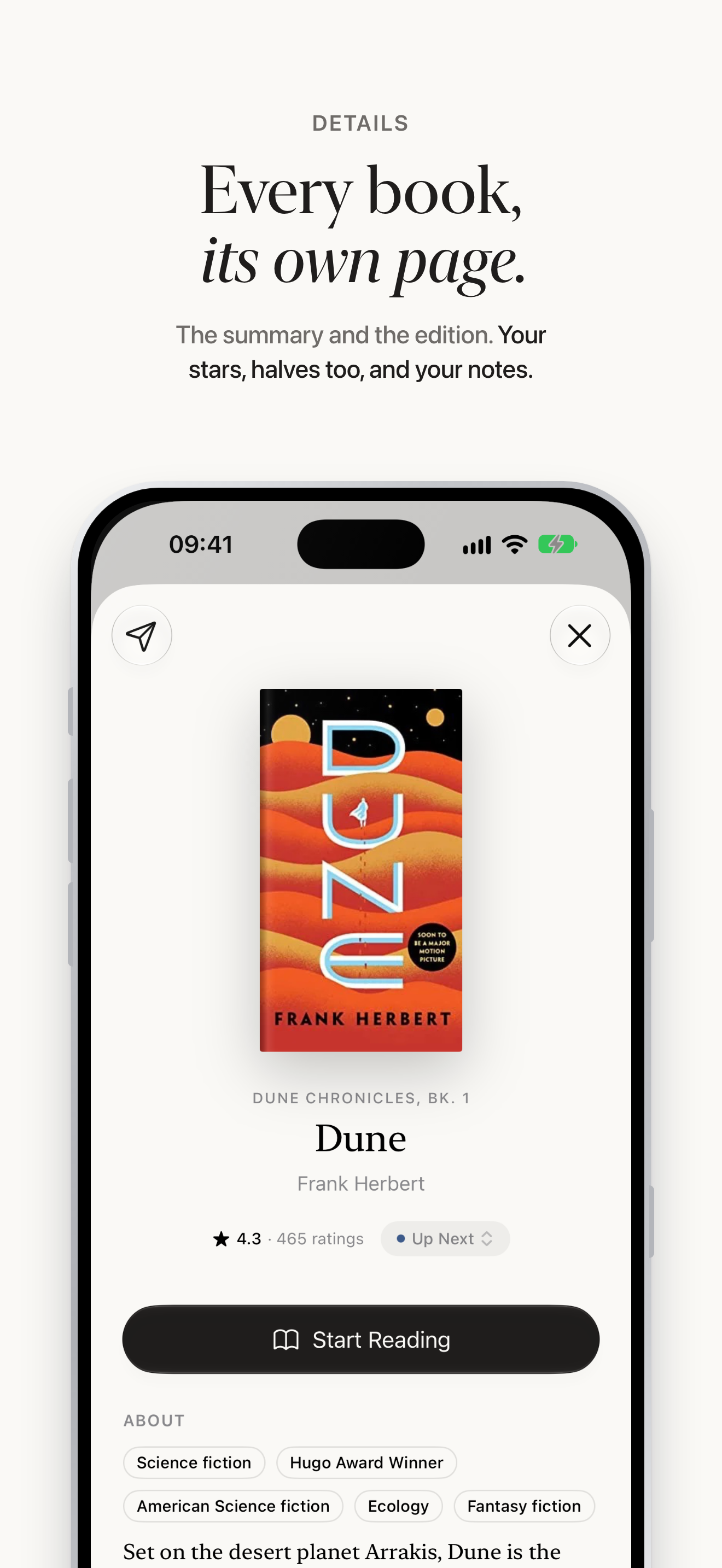
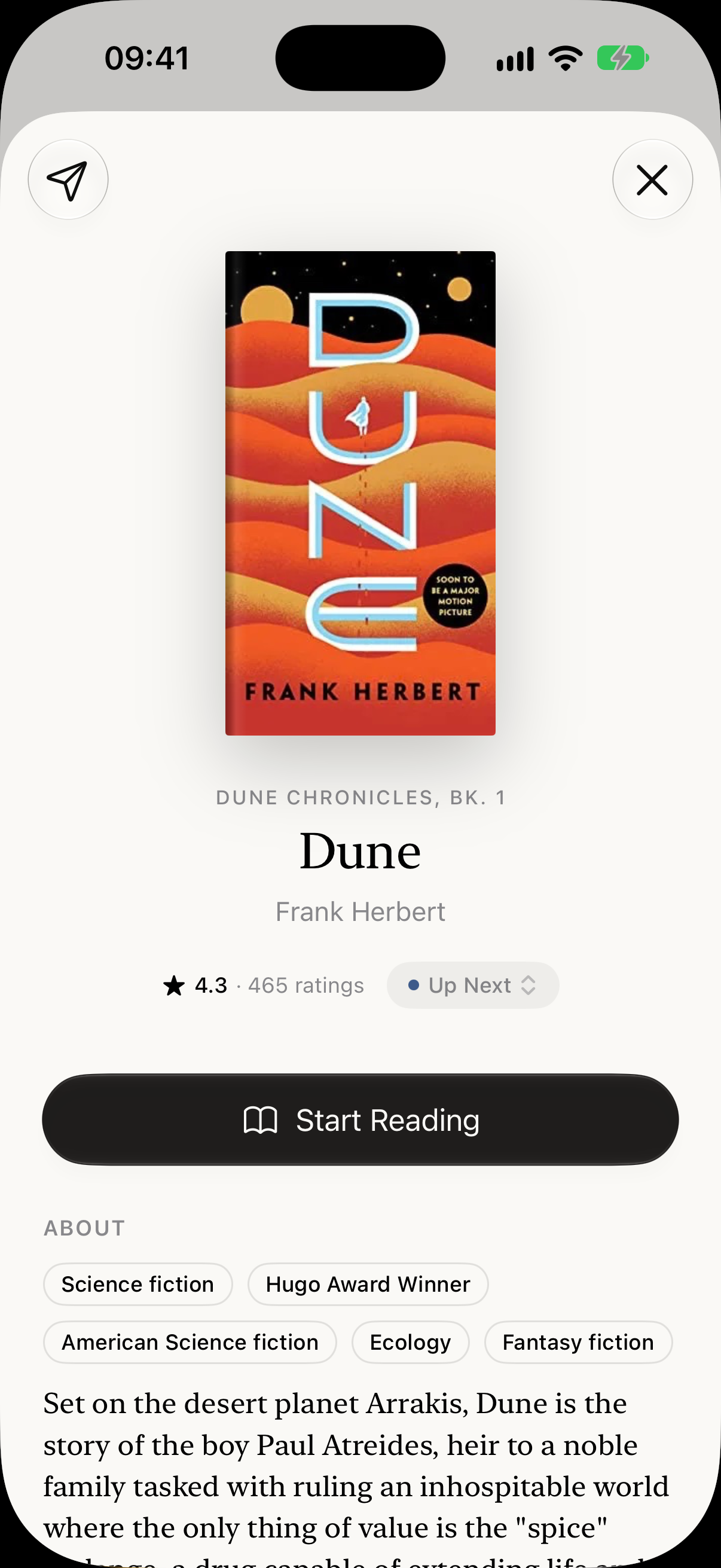
- A page for every book: summary, edition, community ratings, your half-star ratings and notes
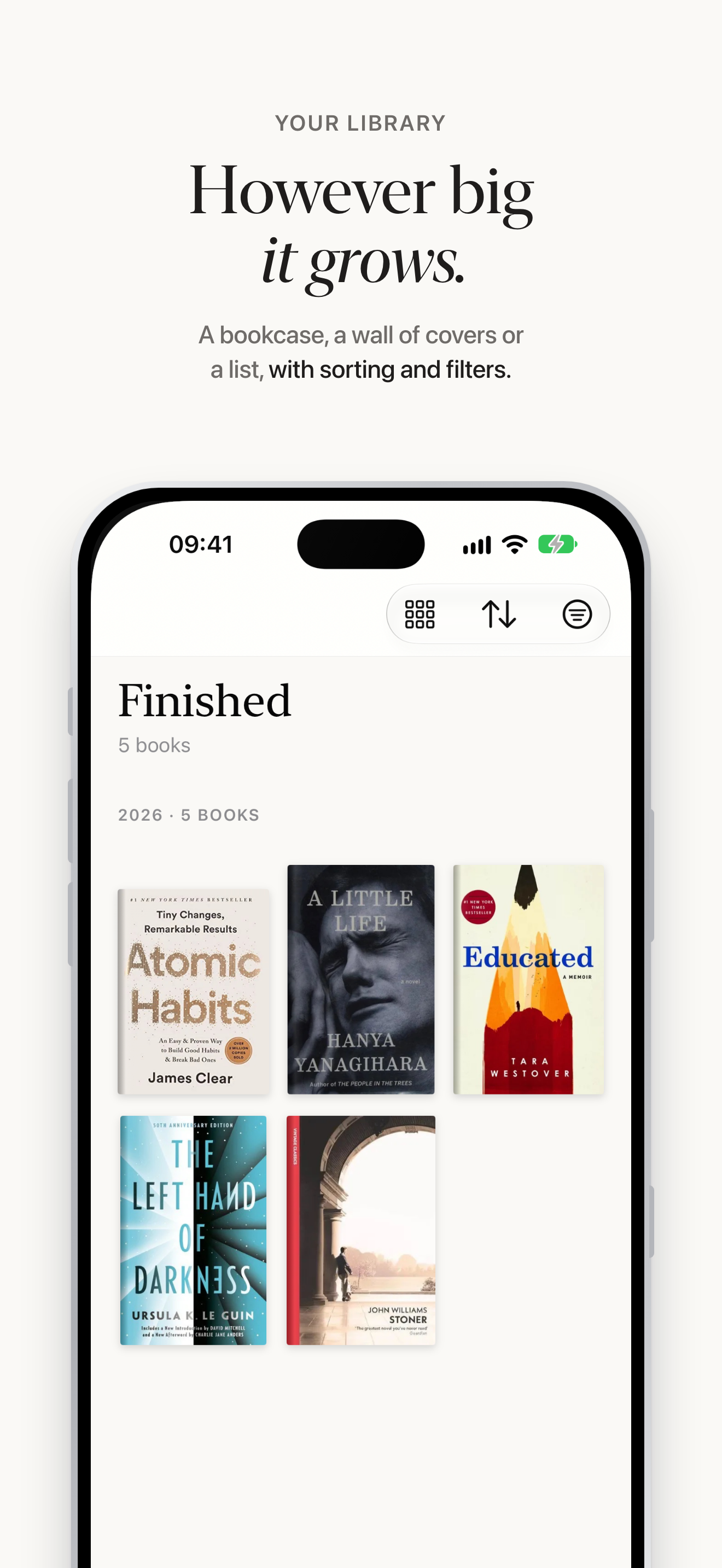
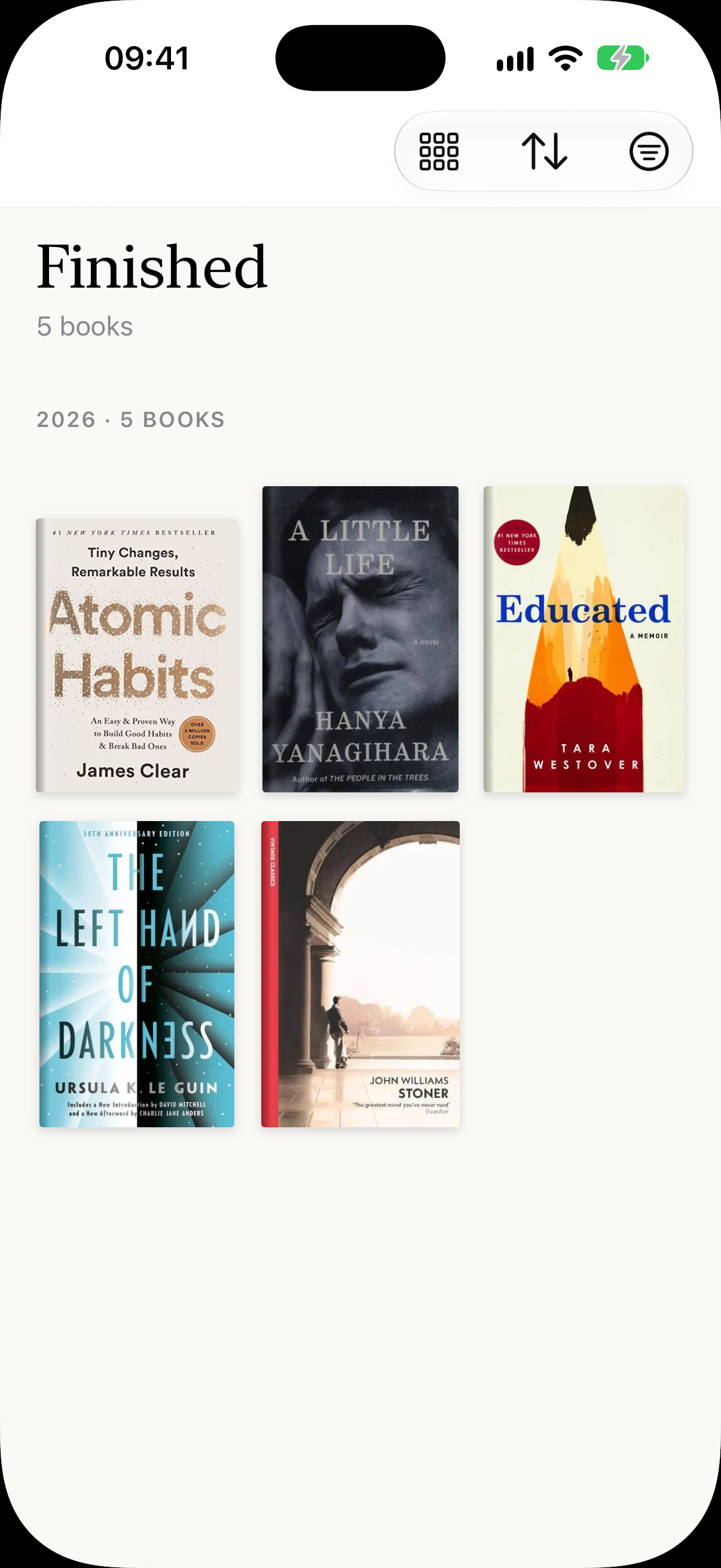
- See All: a whole shelf as a bookcase, a wall of covers or a list, with sorting and filters
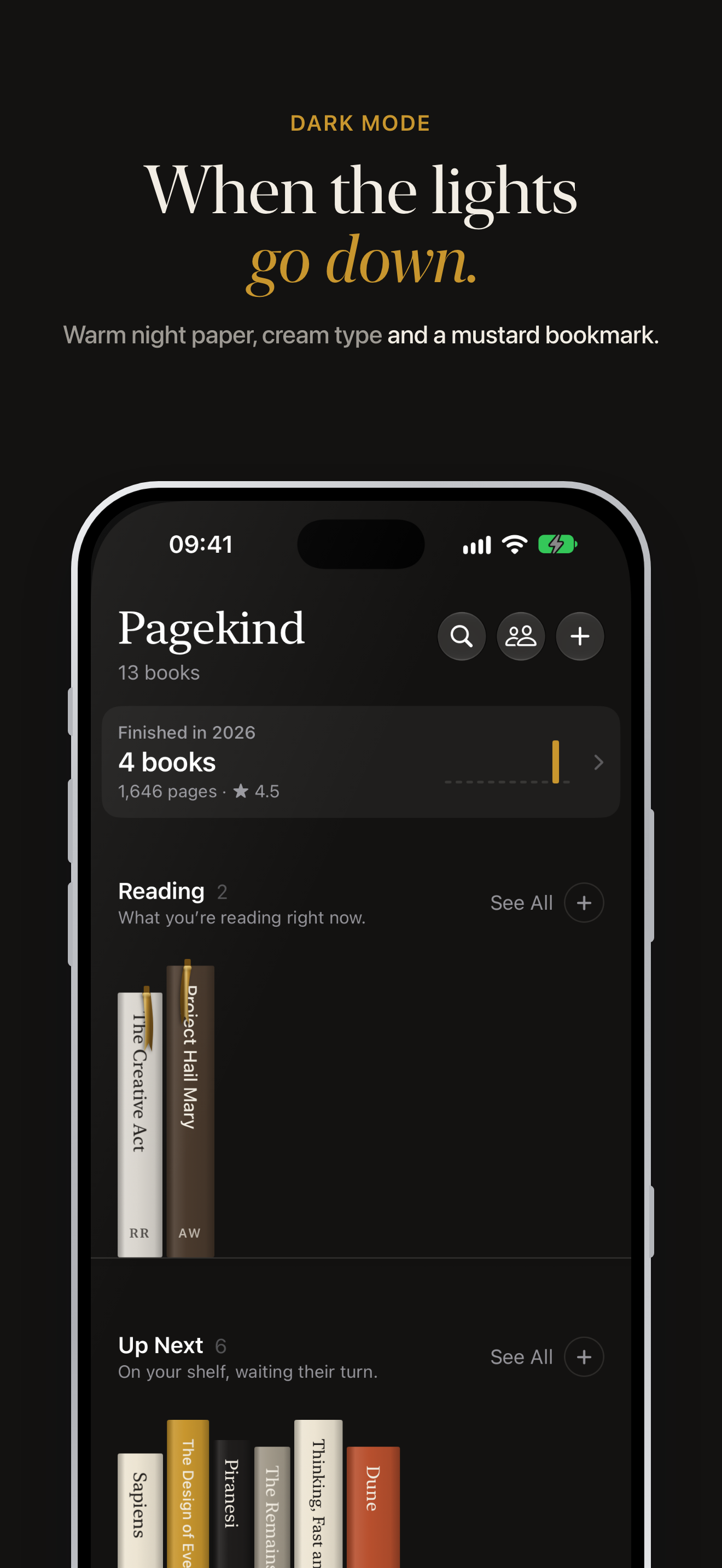
- Dark mode with warm night paper
- Private iCloud sync between iPhone and iPad, no account
App icon
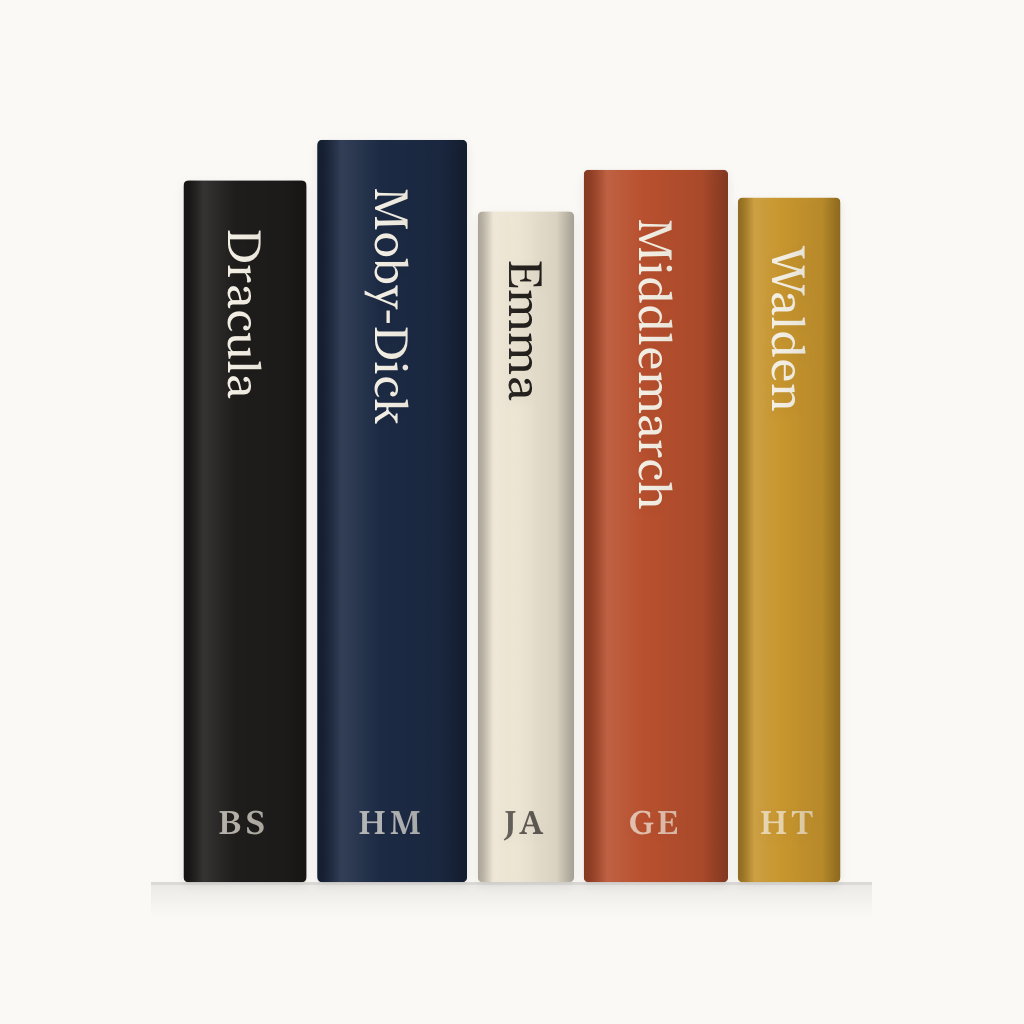
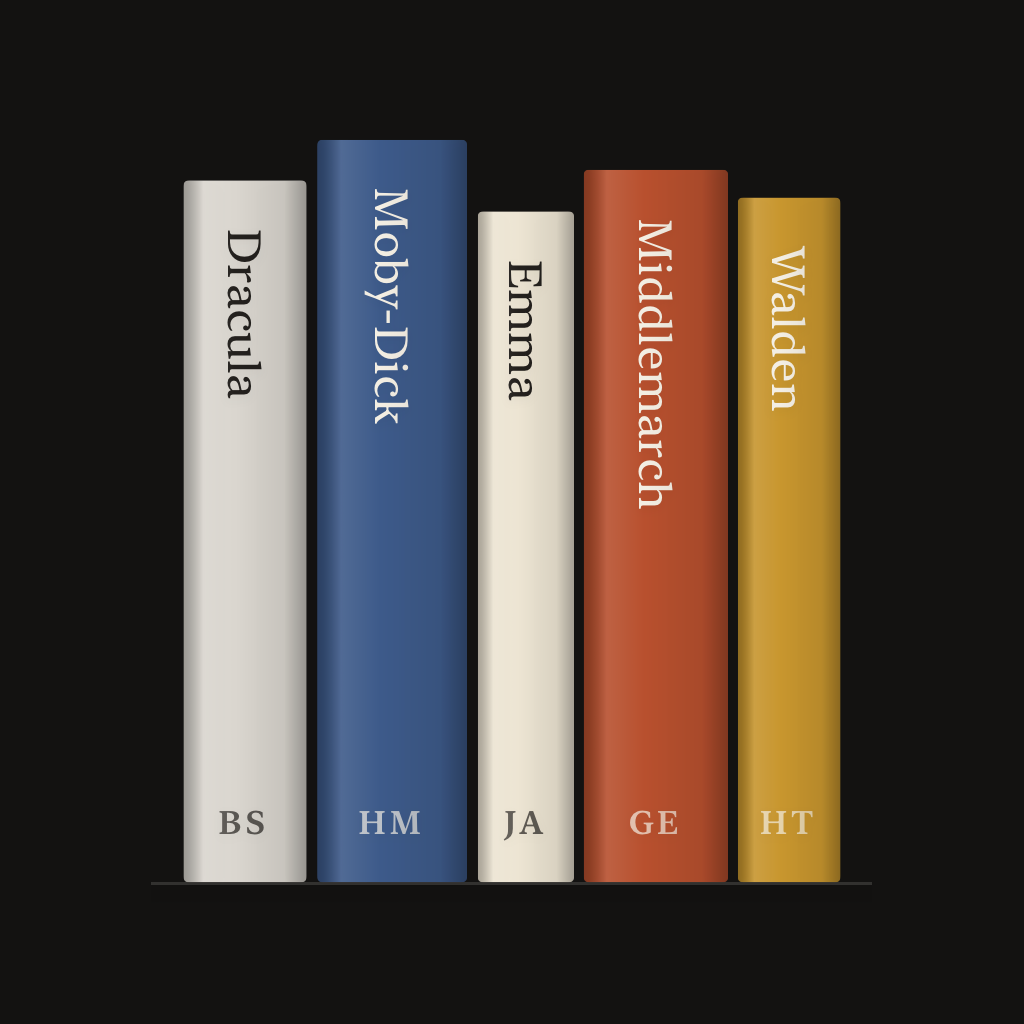
Please use the app icon as it is, without changing its colours or proportions.

App Store screenshots
The iPhone set with captions. The iPad set (2064 × 2752) is in the ZIP.
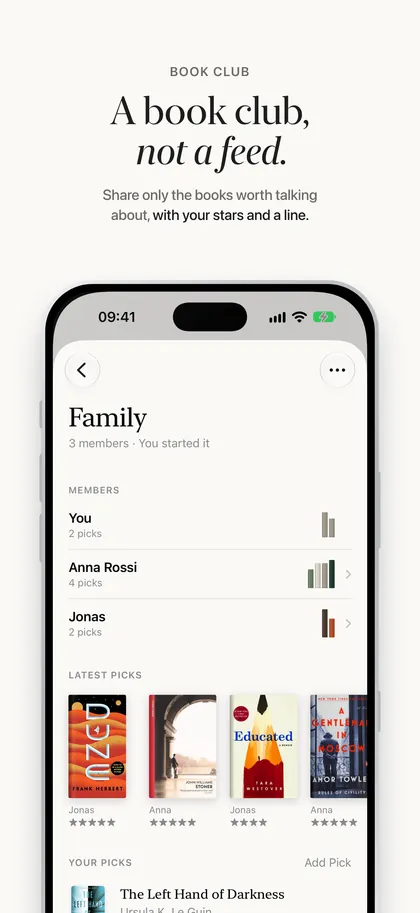 01 · A book club, not a feed.1320 × 2868 PNG · 633 KB
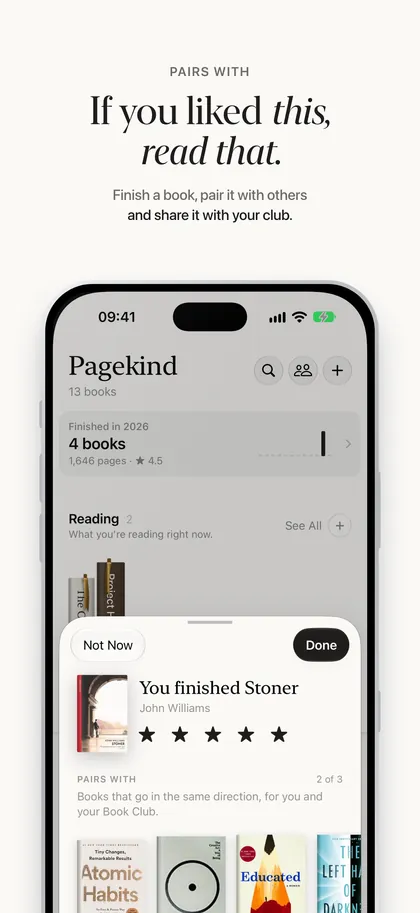 02 · If you liked this, read that.1320 × 2868 PNG · 677 KB
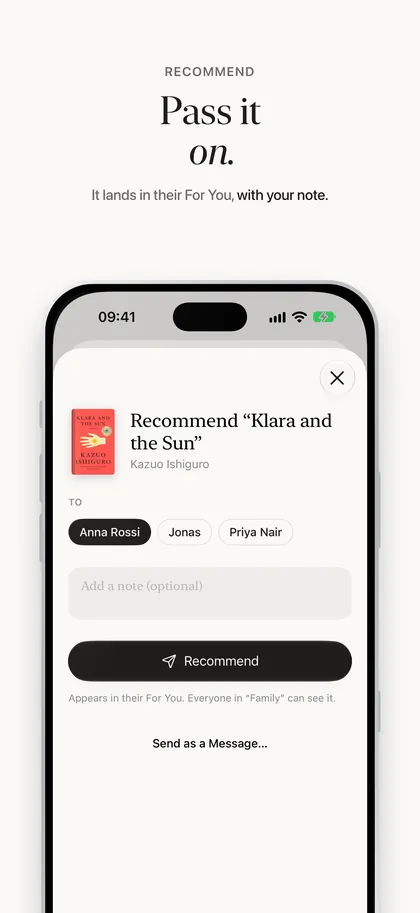 03 · Pass it on.1320 × 2868 PNG · 309 KB
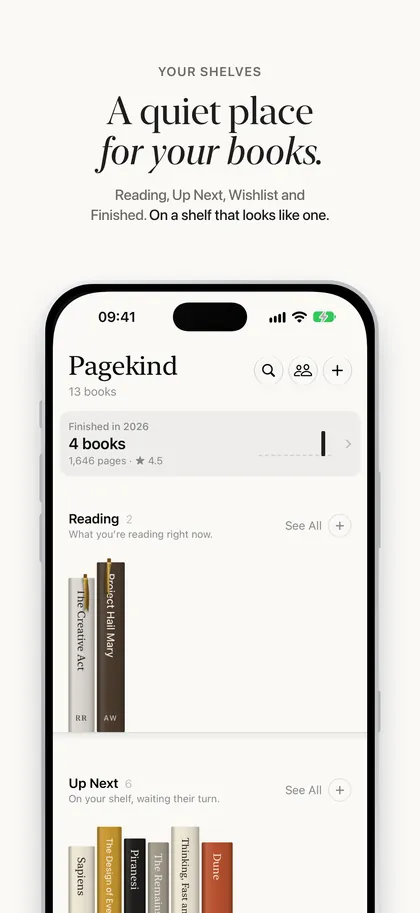 04 · A quiet place for your books.1320 × 2868 PNG · 439 KB
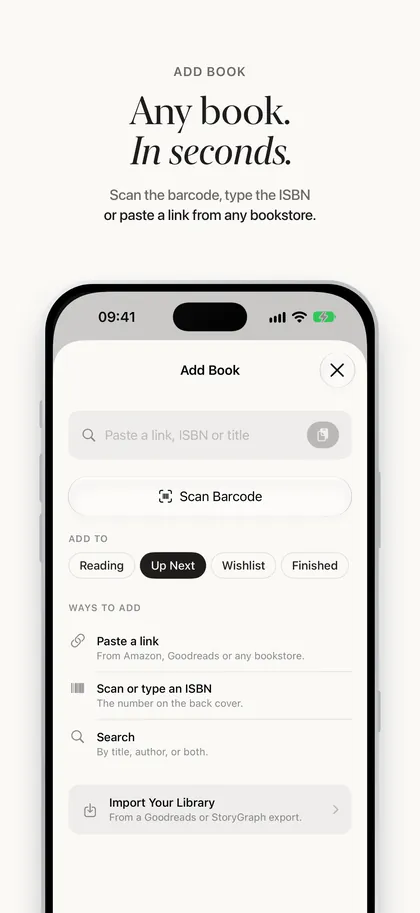 05 · Any book. In seconds.1320 × 2868 PNG · 339 KB
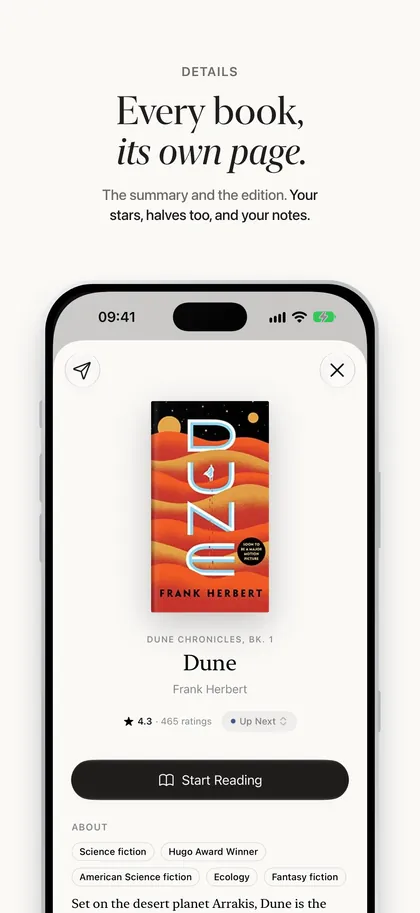 06 · Every book, its own page.1320 × 2868 PNG · 580 KB
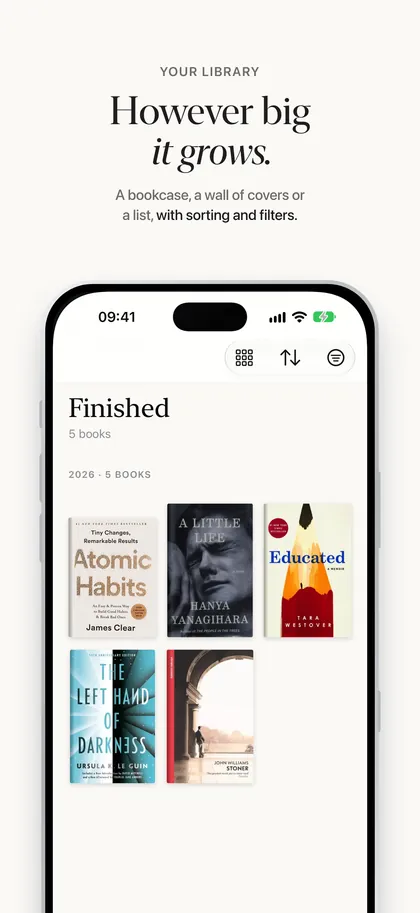 07 · However big it grows.1320 × 2868 PNG · 909 KB
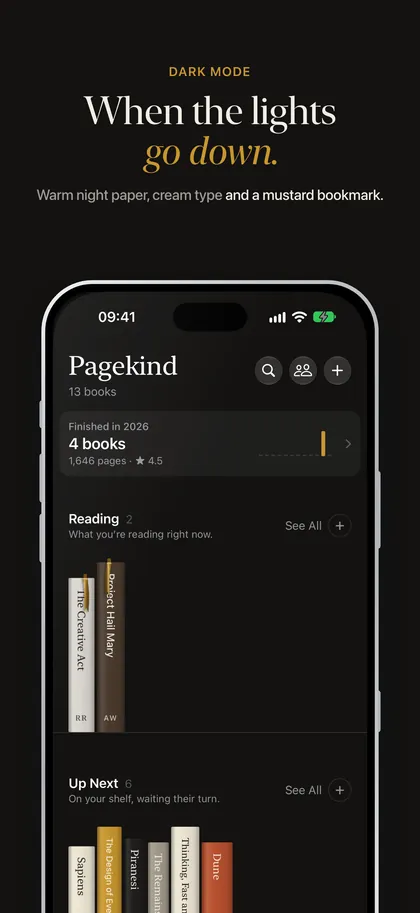 08 · When the lights go down.1320 × 2868 PNG · 477 KB
iMessage
Pagekind’s iMessage app on iPhone. The iPad screenshot is in the ZIP.
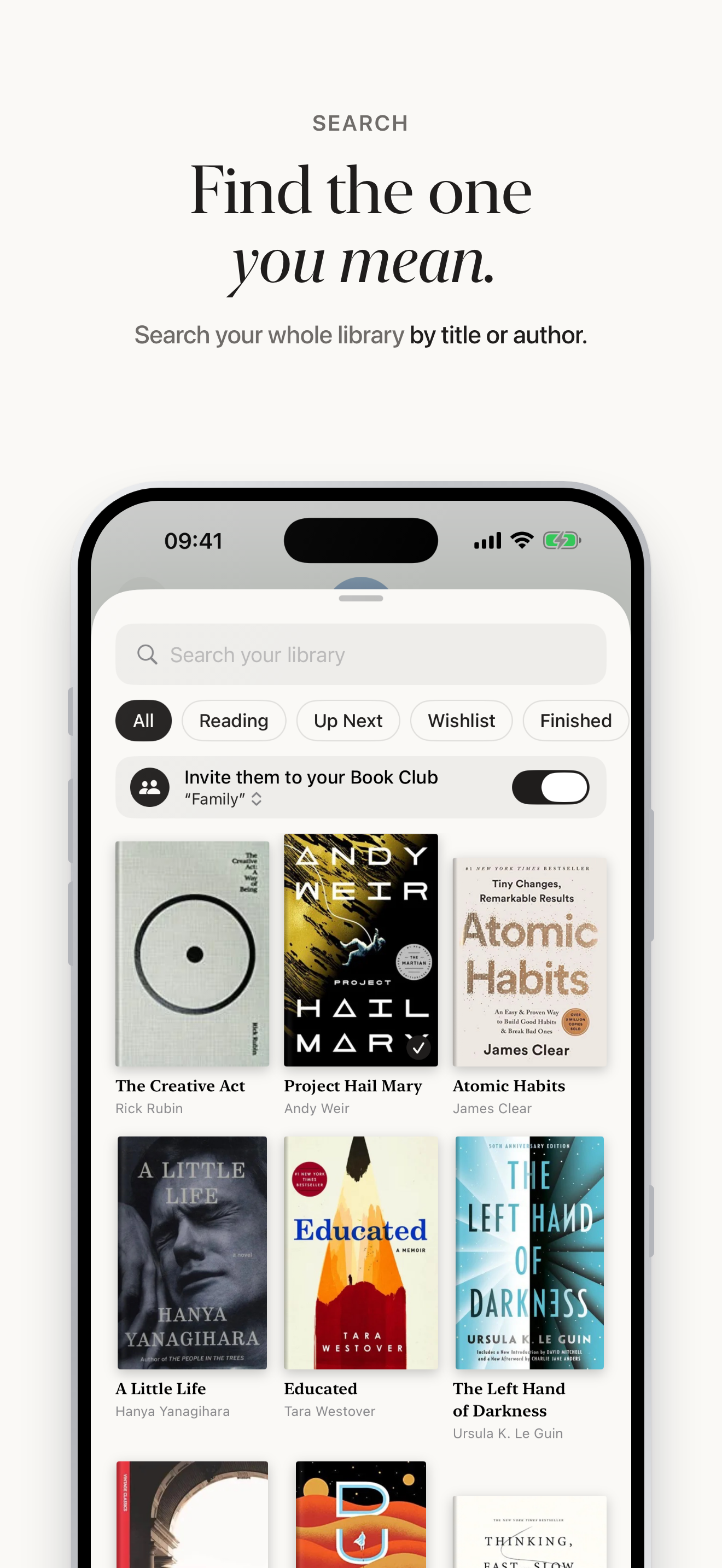
Screens
Full-screen iPhone captures without captions, of the app’s sample library. iPad captures are in the ZIP. The book covers belong to their publishers; please use these images to show the app.
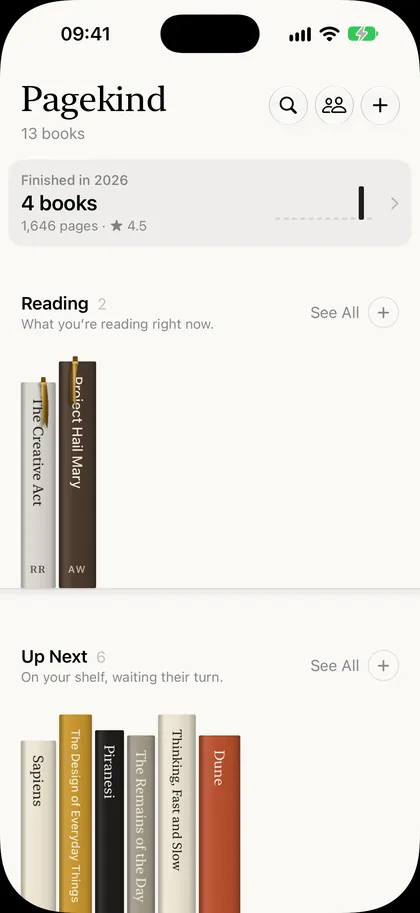 The library: four shelves, books spine out1206 × 2622 PNG · 463 KB
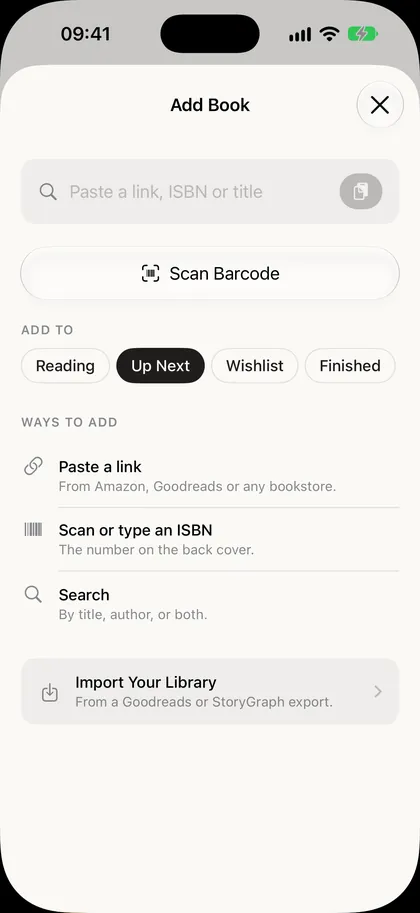 Add Book: scan, paste a link or search1206 × 2622 PNG · 173 KB
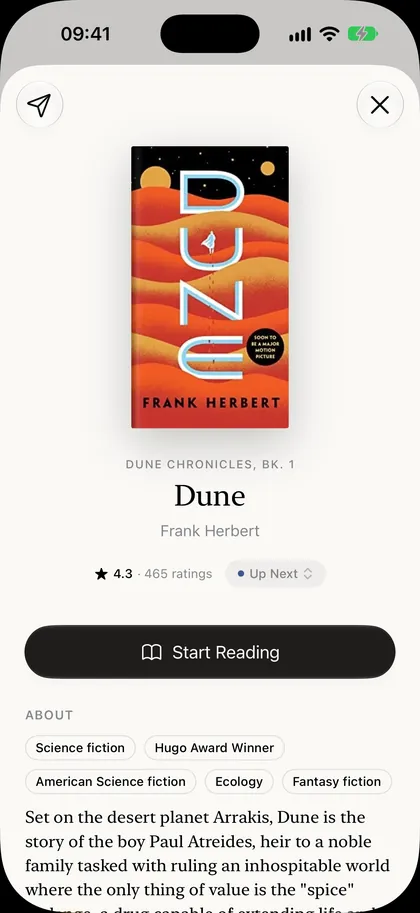 A book’s page: Dune1206 × 2622 PNG · 547 KB
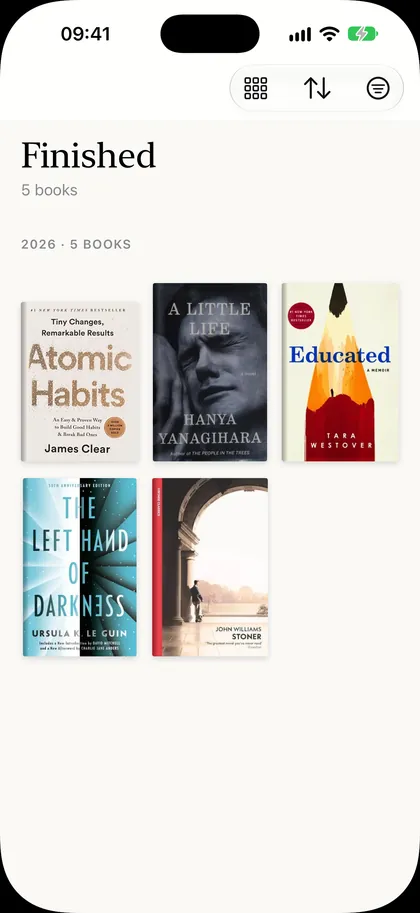 See All: the Finished shelf as covers1206 × 2622 PNG · 1.0 MB
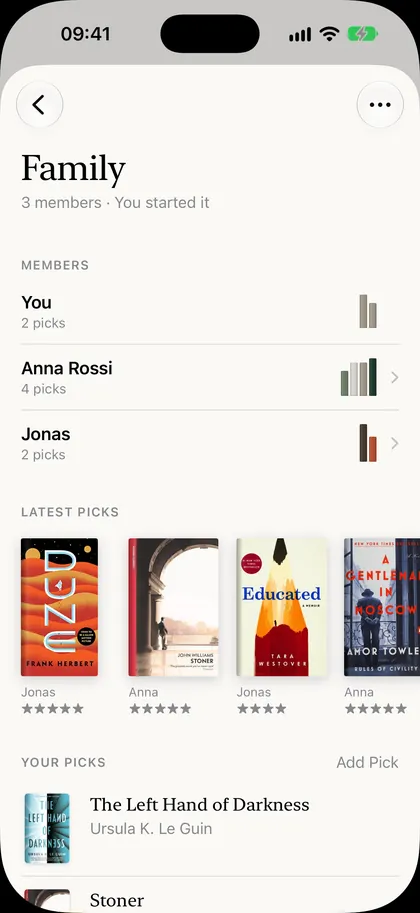 Book Club: a club’s members and their picks1206 × 2622 PNG · 677 KB
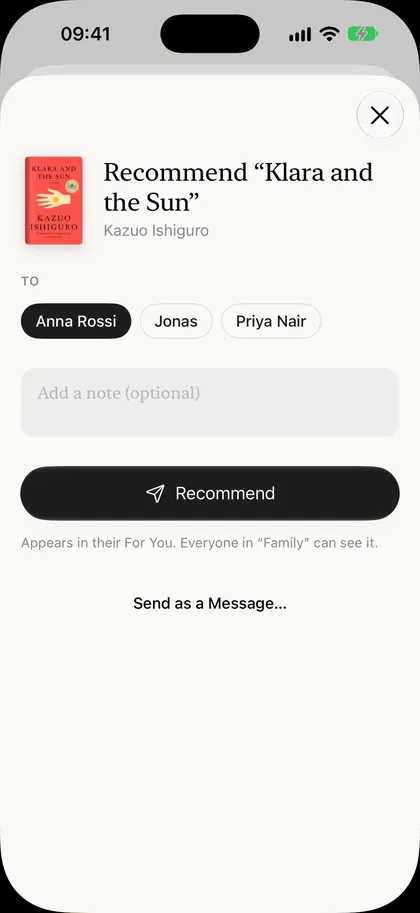 Recommending a book to a member1206 × 2622 PNG · 185 KB
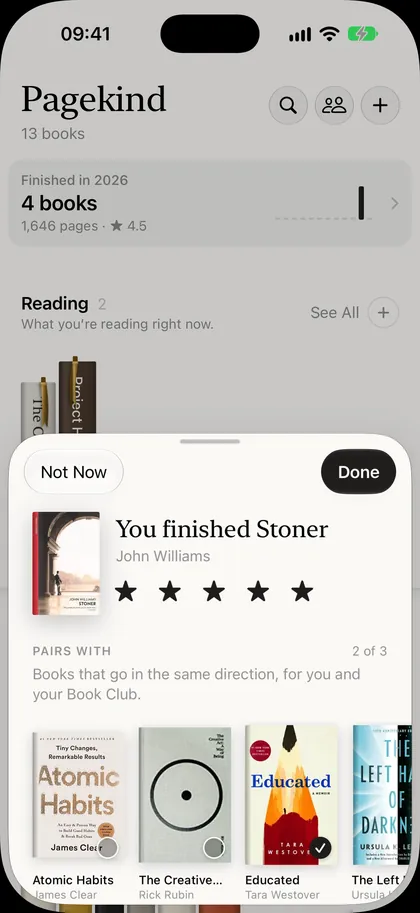 Finishing a book: stars and Pairs With1206 × 2622 PNG · 792 KB
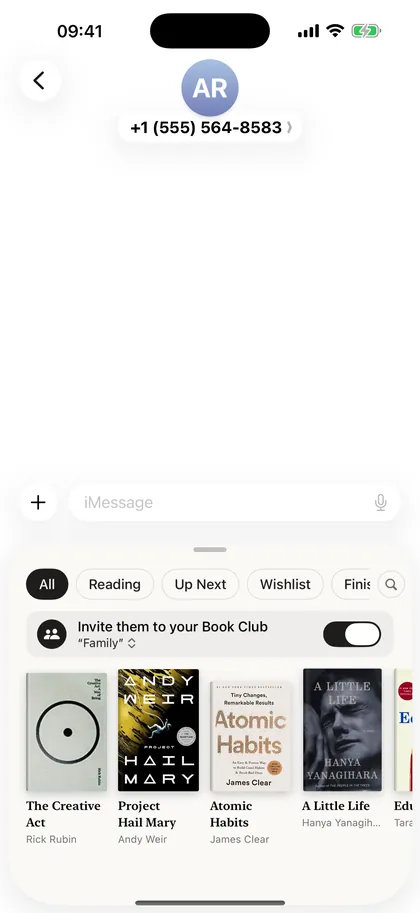 iMessage: the library in the drawer1320 × 2868 PNG · 708 KB
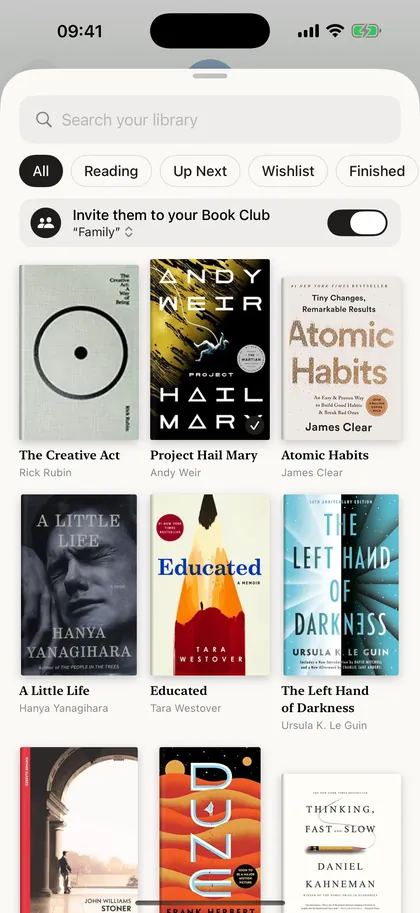 iMessage: the whole library, with search1320 × 2868 PNG · 1.8 MB
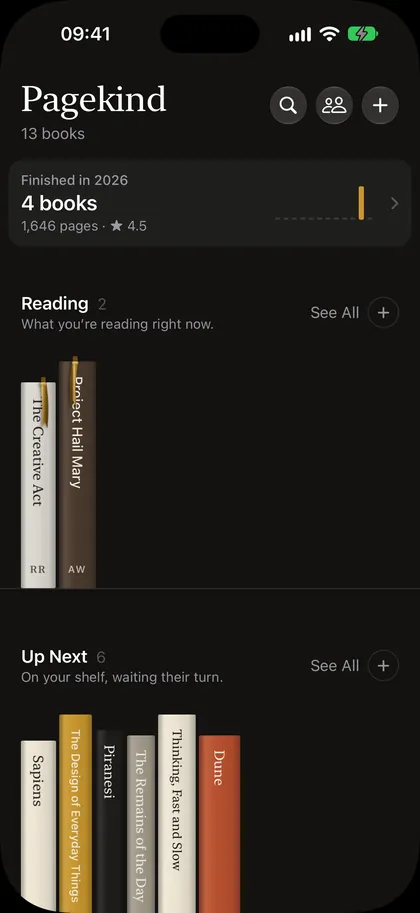 The library in dark mode1206 × 2622 PNG · 456 KB
About the developer
Pagekind is made by Marco Lüthi, an independent developer in Zürich who builds apps for iPhone and Mac. For interviews, beta access or anything else, write to hi@luthi-mar.co. More about Book Club is on its own page, and more apps are on the overview.